
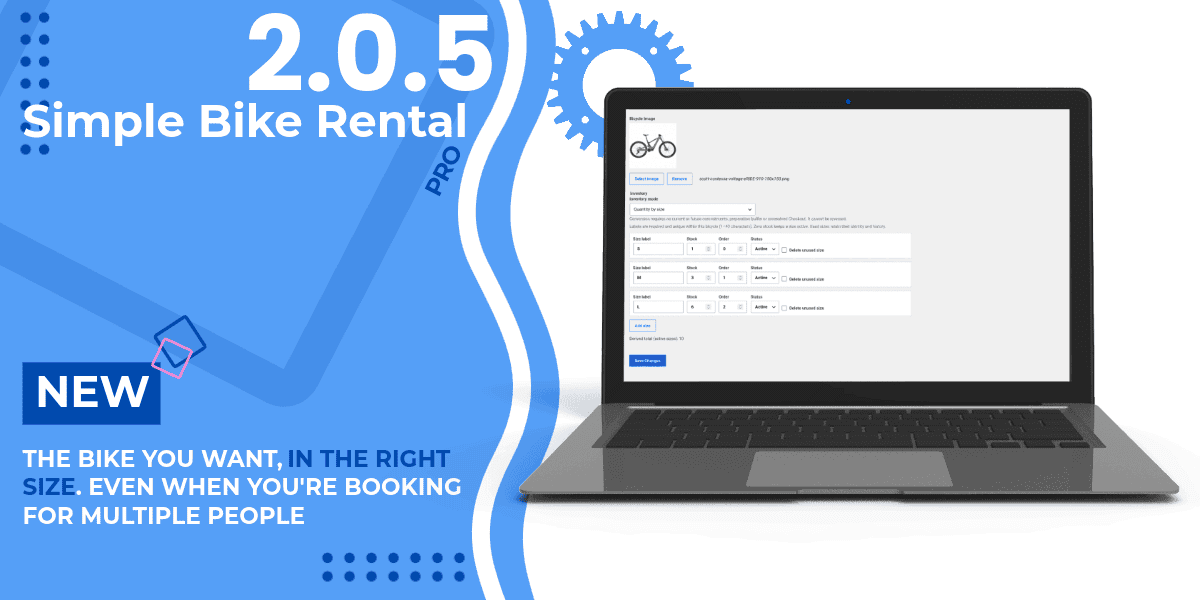
Simple Bike Rental Pro 2.0.5 introduces a new way to manage bike rentals: you can now track availability by size and let customers select multiple sizes of the same model in a single reservation.
The update also brings redesigned booking forms, clearer information, and new tools for reviewing Stripe payments that need attention.
The same model, in the right sizes
A family or a group of friends wants to book three mountain bikes of the same model, but they need two in size L and one in size M.
Now they can do this with a single reservation. After choosing the type of rental, the dates, and the model, the customer selects the desired sizes and specifies the quantity for each one.
The total number of bicycles is calculated automatically, while availability is checked separately for each size and for the entire requested period.
The reservation still applies to only one model. Separate reservations are still required for different models.
An inventory by size, only where it’s needed
From the bicycle page, you can choose between a total quantity and the new Quantity by Size mode.
For each model, you can freely define the labels—for example, S, M, L, or 54 cm—and assign a quantity to each one. All sizes share the model’s rates and pricing rules.
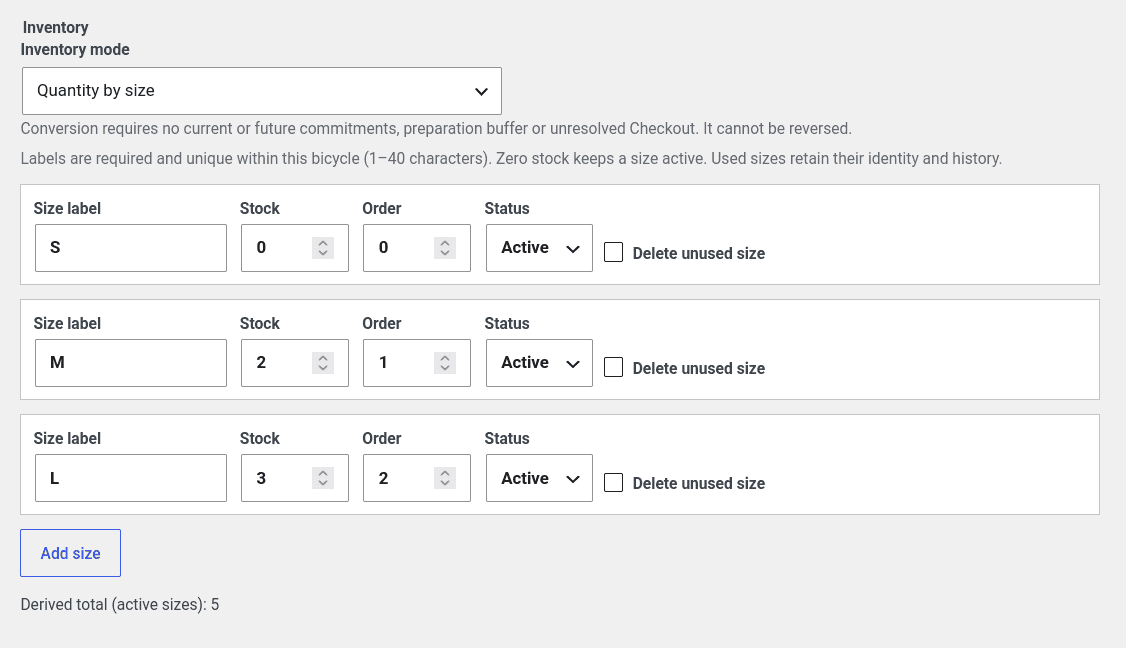
This feature is optional for each bike. Within the same catalog, you can keep some models without sizes and configure others with separate availability.
Bookings retain their recorded composition, even if you later change the name of a size. Administrative controls also protect availability that has already been reserved when you update the inventory.
You can find instructions for configuring, converting, and managing sizes in the dedicated guide.
Clearer modules, from desktop to smartphone
We’ve updated the basic, centered, split, and single-bike layouts to incorporate the new options while keeping the booking process streamlined.
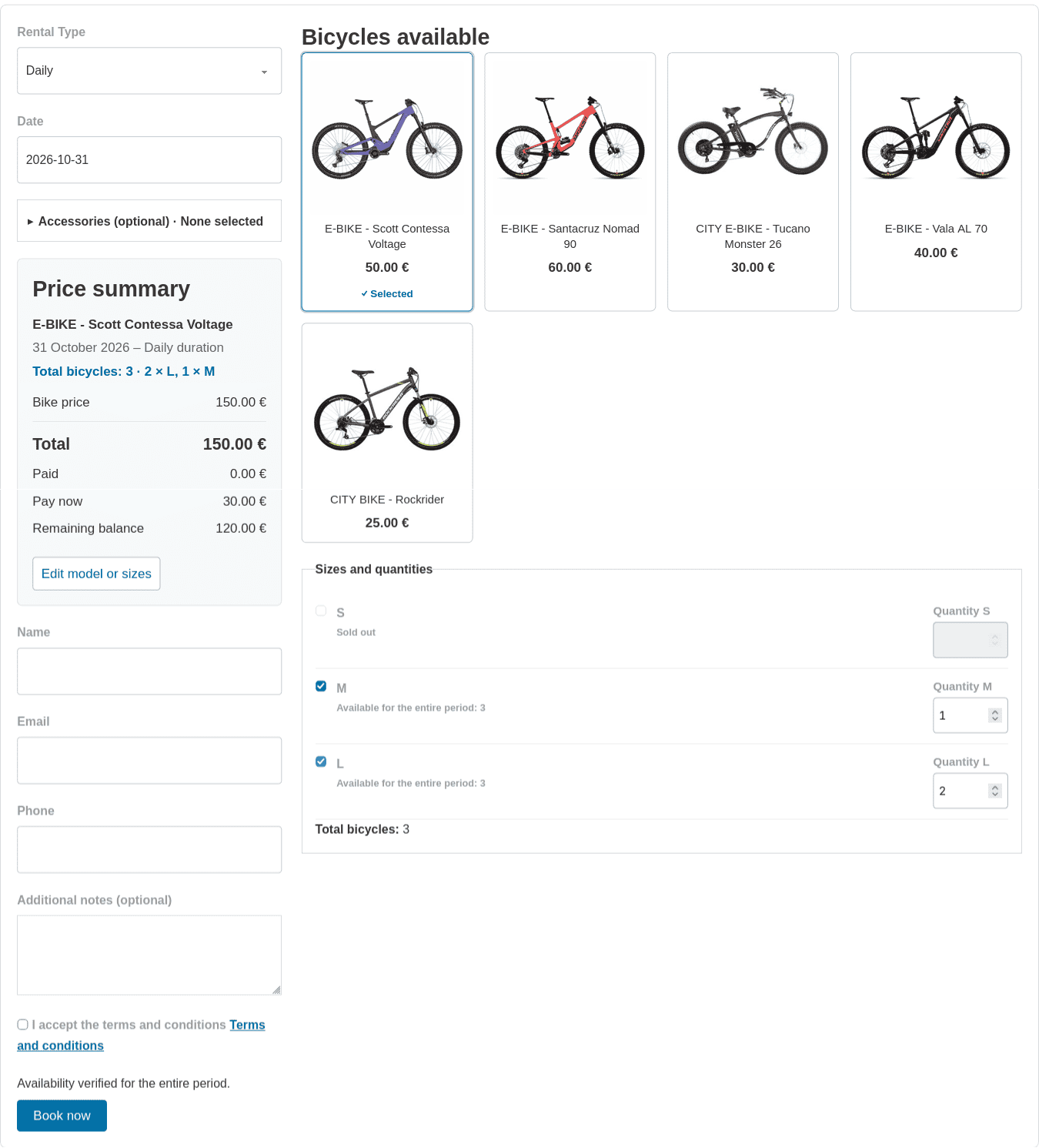
The available sizes and their corresponding quantities are shown after you select the model. Accessories now feature more compact controls and an expandable section, while the summary makes it easier to review your selections and the corresponding amounts before proceeding.
The calendars also provide more immediate information: days that are completely blocked by blackouts are shown with a light-red background, while partial blackout periods are indicated differently.
Sizes in summaries, emails, and reports
The breakdown of a booking is part of your daily work: it appears in the administrative details, in summaries, and in the default email confirmations.
If you use custom notifications, you can add the {bike_sizes} placeholder to your templates to display the size details.
When exporting a CSV, you can also choose to include size data. This option adds the bike reference, the registered name, and an easy-to-read breakdown, all while keeping each reservation on a single line.
New tools for verifying Stripe checkouts
The Payment Reconciliation page now differentiates between financial transactions and Checkout attempts that could prevent the transition to inventory by size.
The To Be Verified and Verified views help you identify what needs to be checked. The administrator can check the status of a Stripe session and, when permitted, explicitly expire an old payment link that can no longer be used.
A payment that has been completed and verified for a deleted reservation can therefore be kept in the history without unnecessarily preventing the configuration of sizes. Any financial issue remains separate and can be reviewed. These operations do not issue refunds or automatically confirm reservations.
The reconciliation guide explains the actions available and what the various outcomes mean.
New reservations can now also be made from the Android app.
With Simple Bike Rental Admin 1.0.6, you can create and edit reservations that include multiple sizes of the same model—even from the app—while checking availability, costs, and the details of each reservation.
The configuration of sizes and inventory quantities remains in WordPress; in the app, the inventory is viewable in read-only mode.
Additional improvements
Version 2.0.5 also improves the initial availability check for multi-day rentals and standardizes how discounts and rounding are applied across the quote, the saved reservation, and the payment, while preserving the historical amounts from previous reservations.
The messages regarding installation requirements and form recovery are also clearer now, especially when you need to reload the page to renew the security check.
How to update
You can download Simple Bike Rental Pro 2.0.5 from your license area.
As with any WordPress update, first back up your files and database. You can find the details in the installation guide.
Sizes aren’t activated automatically. After the update, you can choose which models to configure and continue using the others with a single quantity.
Try it on the demo site
Explore the updated booking forms on our demo site. Choose a bicycle with sizes, select your rental dates, and try combining different sizes of the same model in a single reservation.